
How to Generate Your Small Town Boy AI Video
Step-by-step guide with screenshots: pick two photos, buy credits, generate the Smalltown Boy duo and download your 24-second video with the song.
Oct 9, 2026
The Smalltown Boy trend is a duo video set to Bronski Beat's 1984 song “Smalltown Boy”, which came back in 2026 after it played over a dance scene in Netflix's Monster: The Lizzie Borden Story. Two people stand in a courtyard in front of a wide-angle phone. The first one rushes the lens, clutches their head and screams on the high note; then the second one does the same; then both dance side by side and reach into the camera.
Small Town Boy AI makes that video from two photos, so you do not need the courtyard, the timing or a second take. This guide walks through every step on the site, with screenshots, from opening the page to posting the finished MP4.
What you need
- Two photos, one of each person (you and a friend, your partner, a sibling).
- An account on Small Town Boy AI. Signing up costs nothing.
- Credits: every video is paid with credits from a one-time pack. There is no free generation and no subscription.
- About 10 minutes, most of it waiting for the render.
Step 1: Open the generator
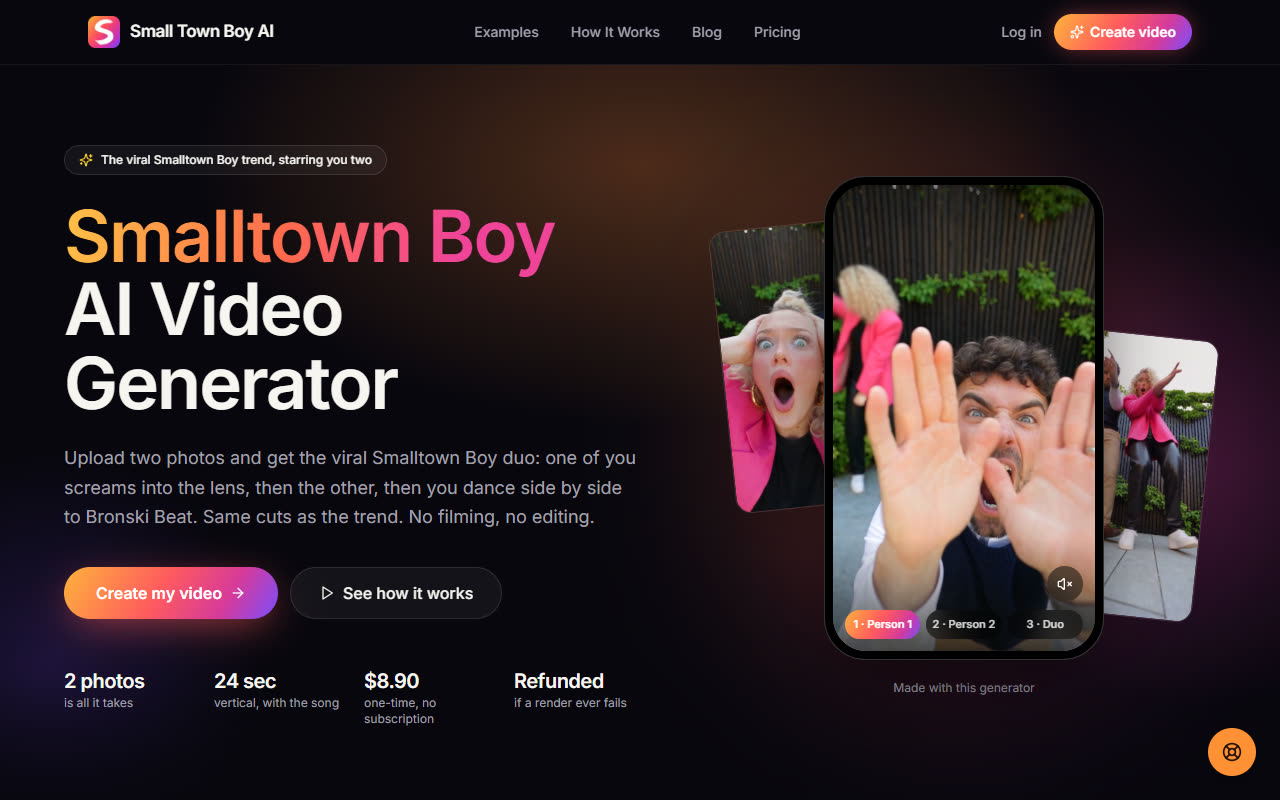
Go to smalltownboyai.org. The demo at the top shows the format: Person 1, Person 2, then the duo. Press Create my video or scroll down to the generator.
Step 2: Create an account
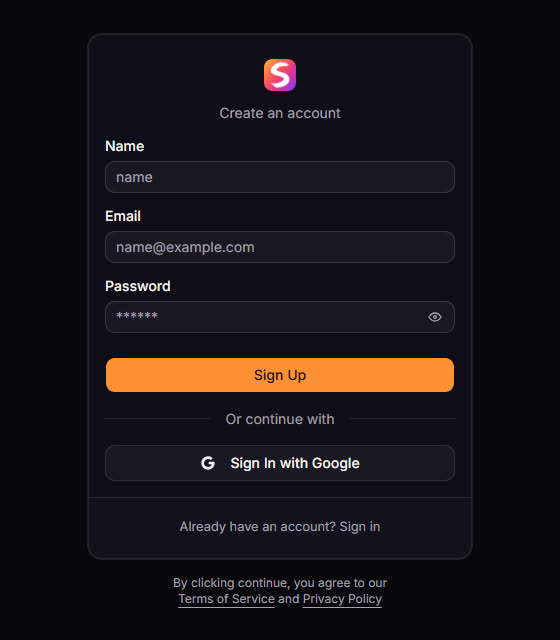
Open Sign up. Enter your name, email and a password and confirm your email from the message we send, or press Sign In with Google to skip the email step. You land back on the site signed in.
Step 3: Buy a credit pack
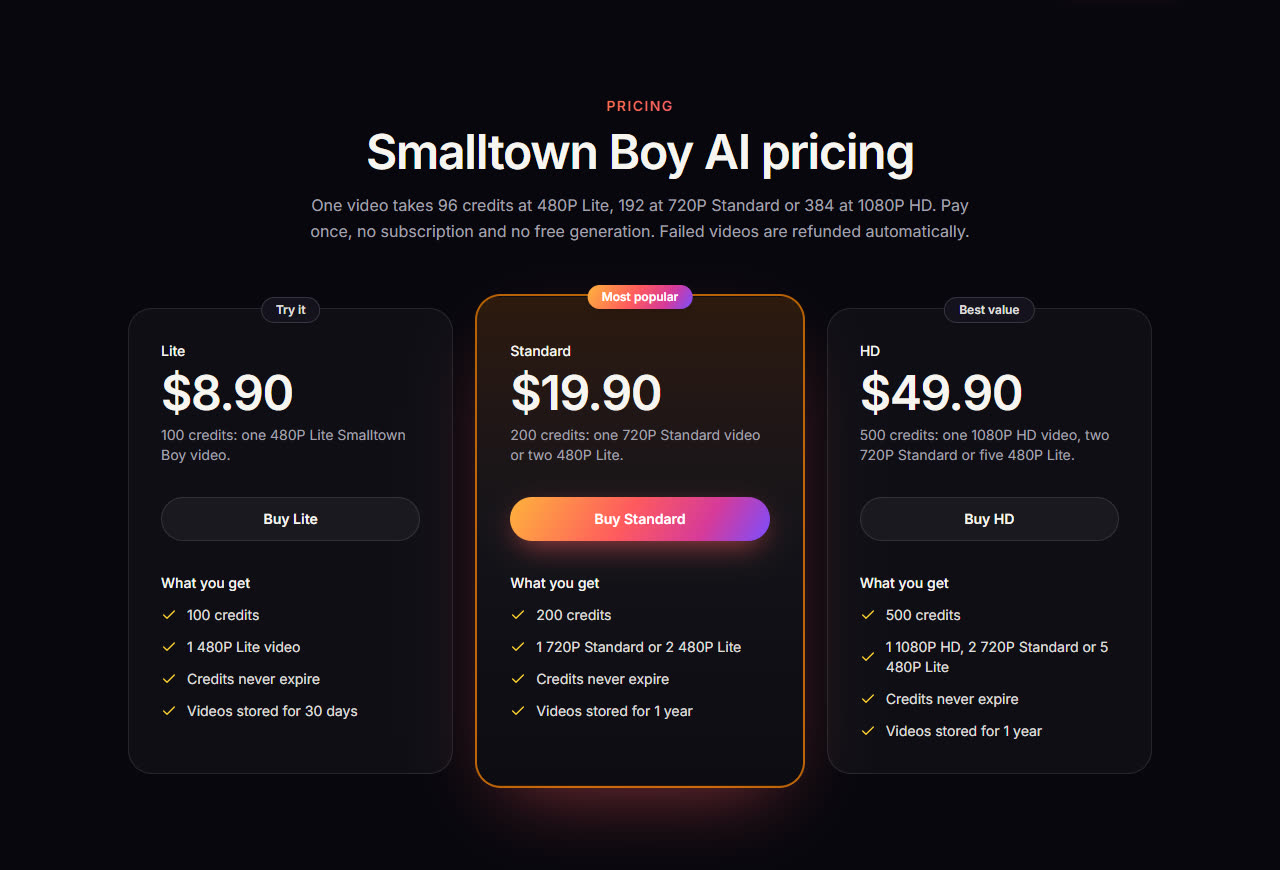
Open Pricing and pick a pack. You pay once by card through Stripe and the credits appear in the header right after payment. Credits never expire.
- Lite $8.90: 100 credits, one 480P Lite video. The cheapest way to try it.
- Standard $19.90: 200 credits, one 720P Standard video or two 480P Lite.
- HD $49.90: 500 credits, one 1080P HD video, two 720P Standard or five 480P Lite.
Step 4: Choose two photos
The video model rebuilds both people from your photos, including their clothes, so the photos decide most of the result:
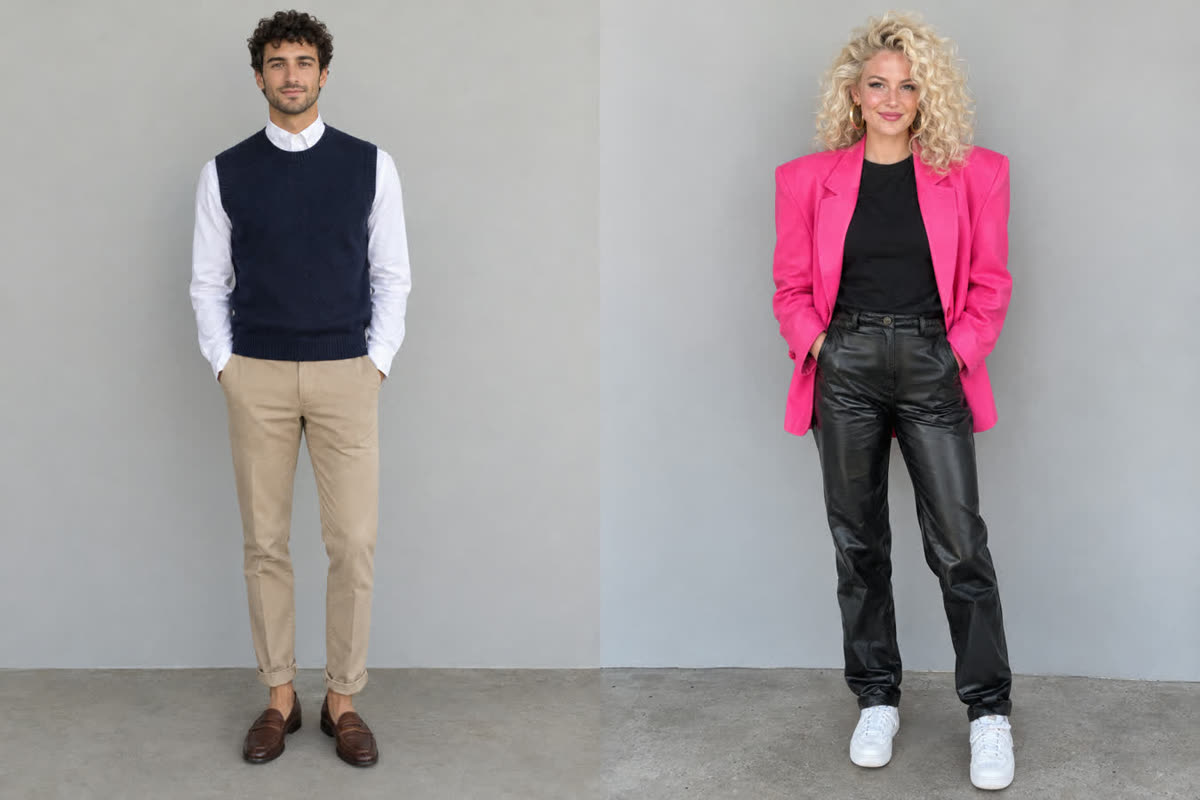
- One person per photo, facing the camera, face fully visible.
- Show the outfit you want. What they wear in the photo is what they wear in the video. Waist-up or full-body photos work best.
- Even light, no sunglasses, hats or masks.
- Pick a contrast. Two different looks read better in the fast cuts: in our demo, a buttoned-up “small-town” outfit next to a hot pink 80s blazer.
- Only use photos of yourself or of people who agreed to appear.
Step 5: Upload the photos
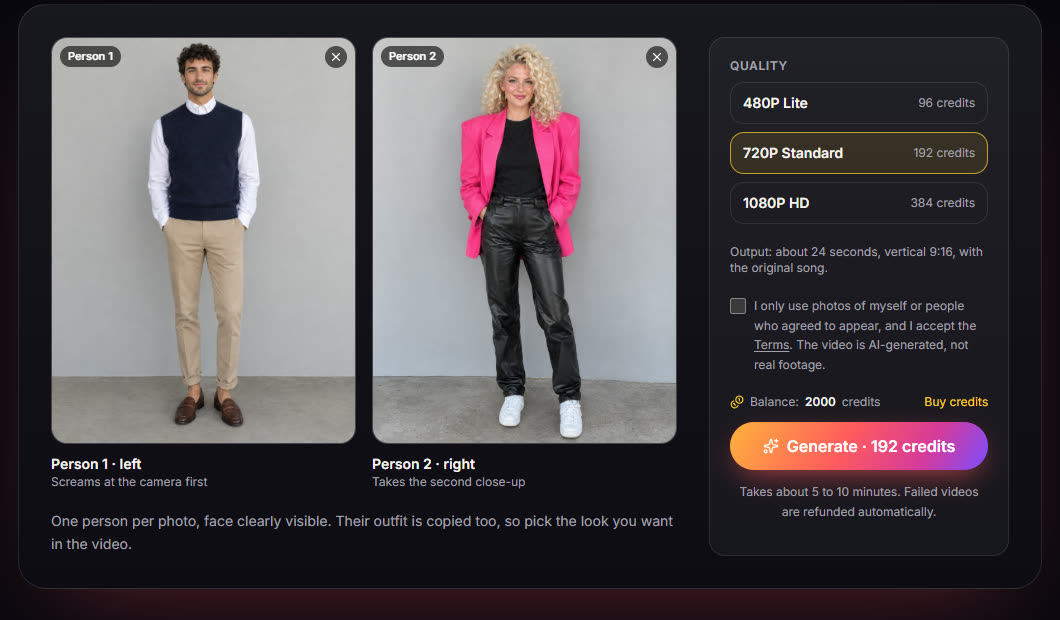
In the generator, add one photo to each slot. The order sets the roles:
- Person 1 · left rushes the camera first and screams, then stands on the left when you dance together.
- Person 2 · right takes the second close-up and stands on the right.
Want to swap who goes first? Swap the photos. Photos must be JPG, PNG or WebP and under 8 MB.
Step 6: Pick a quality and press Generate
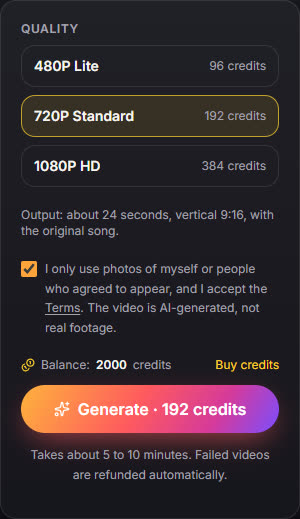
Every video is about 24 seconds, vertical 9:16, with the song. The quality sets the price:
- 480P Lite: 96 credits
- 720P Standard: 192 credits
- 1080P HD: 384 credits
Tick the box to confirm the people in the photos agreed to appear, then press Generate. The button shows the cost before anything is charged.
Step 7: Wait about 5 to 10 minutes
The video renders on our servers. You can close the page: the finished video waits in My videos, and we email you when it is ready. If a render ever fails, the credits go straight back to your balance (see the refund policy).

Step 8: Watch, download and post
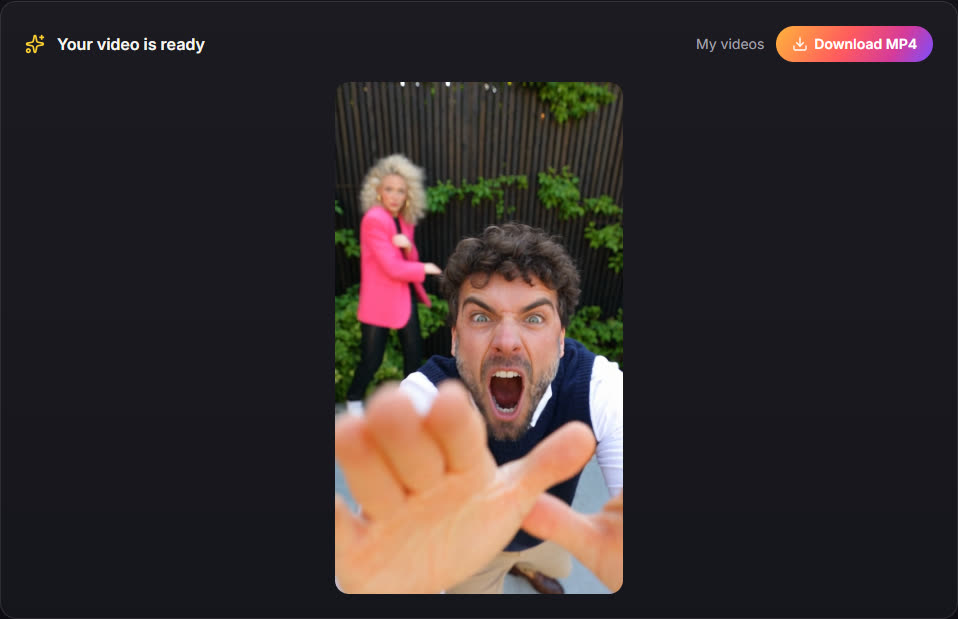
When it is done, the video plays right in the generator. Press Download MP4 to save it. Every video you make is also listed in My videos, kept for 30 days with a Lite pack or 1 year once you have bought a Standard or HD pack.
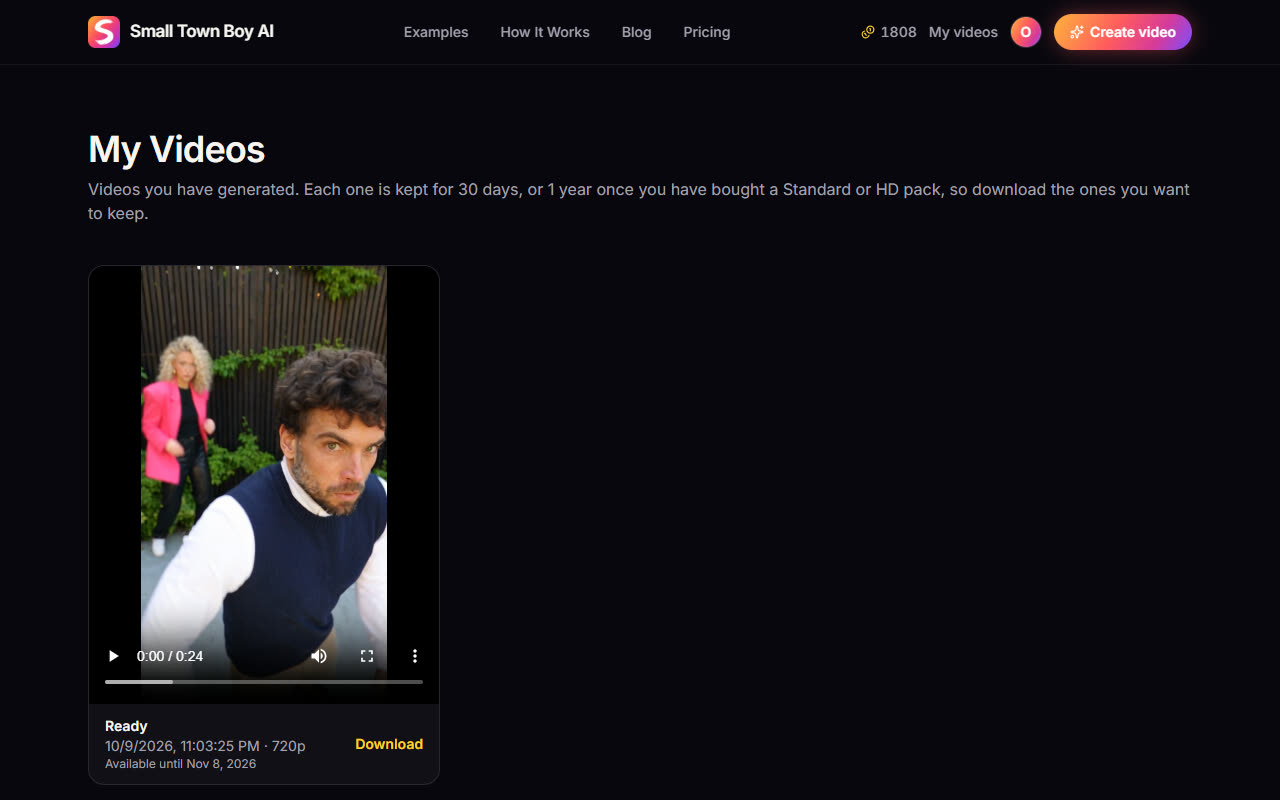
The MP4 is already vertical and has the song, so it is ready for TikTok, Instagram Reels and YouTube Shorts. Turn on the platform's AI-generated label when you post.
Quick answers
- How long is the video? About 24 seconds, 9:16.
- Does it have sound? Yes, the original song is added to every video.
- Is it free? No. Packs start at $8.90 for one 480P video.
- What happens to my photos? They are used only to make your video and deleted when the request ends. See the privacy policy.
Make your Smalltown Boy video
Two photos in, a 24-second duo out, with the song. Packs from $8.90.
Open the generator